
Best Minecraft Server Hosting 2026: Top 10 Providers Compared
Minecraft isn’t just a game anymore; it’s a global digital institution. With over 212 million monthly active players in 2026, it remains the ultimate sandbox for creativity, survival, and community building. From the high-stakes “Mounts of Mayhem” updates to the breathtaking “Vibrant Visuals” graphical refreshes, Minecraft continues to evolve, drawing in over 30 million daily users who build everything from complex redstone computers to sprawling medieval kingdoms.
However, as the game grows more complex with every update, the demand on hardware has skyrocketed. Running a modern server—especially with high-render distances, heavy modpacks like Better Minecraft, or complex plugins on Paper—requires serious horsepower. Relying on “Realms” or hosting from your own PC often leads to the dreaded “Server Can’t Keep Up” error. Professional Minecraft hosting is the only way to ensure 20 TPS (Ticks Per Second) stability, 24/7 uptime, and the freedom to install any mod or plugin you desire. We have benchmarked the top 10 Minecraft hosting providers of 2026 to find the winners that deliver elite performance, low latency, and “no-bullshit” support.
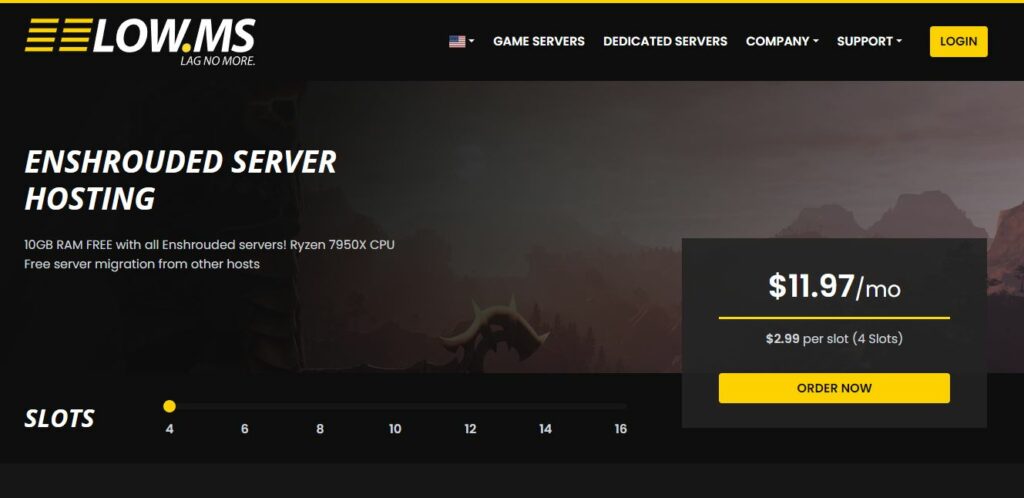
1. LOW MS – The best host
Best package: £4.28 ($5.40)
LOW.MS takes the top spot for GMod because they understand the Source Engine’s biggest weakness: single-core dependency. By utilizing Ryzen 7950x/9950x processors, they ensure your server maintains a stable tickrate even when the physics gets chaotic.
Best Minecraft Server hosts 2026 – Quick overview
Want to quickly get started with your Minecraft server? Here’s the quick rundown of the best providers for Minecraft 2026!

Features
LOW.MS remains the champion for 2026, offering a “no-overselling” guarantee that is vital for Minecraft’s single-threaded performance. They utilize Ryzen 7950x and 9950x CPUs across all locations, ensuring your world generation is seamless and your TPS stays at a rock-solid 20.
- 10 GB Ram
- Ryzen 7950x or better CPU
- NVMe SSD storage
- Global locations
- Mod support
Pros and cons

Features
HostHavoc is the king of reliability. They don’t do “budget” plans; they only offer high-performance instances with a 99.9% uptime guarantee. Their custom panel features one-click installers for Paper, Spigot, and Forge, making it incredibly easy to switch between a vanilla experience and a plugin-heavy server.
Key Features: Never oversold policy, fully-owned hardware, and 24/7 expert human support.
Pros and cons
Features
GTX Gaming is the a top choice for power users. They provide massive 100GB NVMe storage as standard and specialized tools for BungeeCord/Velocity networks. Their use of high-cache CPUs (Ryzen X3D series) makes them great for modded gameplay.
- Starting at 10GB RAM & 10 slots
- 100gb NVMe storage
- 120 FPS tickrate
- Global locations
- Mod support
Pros and cons

Features
The most user-friendly host on the market for Minecraft. Apex Hosting offers an incredibly intuitive panel with over 200+ one-click modpack installers. Their massive library of video tutorials makes them the perfect “hand-holding” choice for first-time admins.
- Premium Pricing
- Free Subdomain
- Automated Daily Backups
- Path.net DDoS Protection
- Full MOD support
Pros and cons

Features
Sparked Host has taken the 2026 market by storm with their “Extreme” plans. They offer the same top-tier Ryzen hardware as the premium hosts but at a fraction of the cost. If you are tech-savvy and don’t need “hand-holding” support, this is the most cost-effective way to get elite performance.
- unlimited slots
- NVMe SSD
- DDoS protection
- Instant setup
- Full mod support
Pros and cons

Features
Aleforge stand out with their Unlimited Player Slots policy. You pay for the raw hardware resources (RAM/CPU) rather than an arbitrary player count. Their modern panel makes scaling your server as your community grows effortless.
- Enterprise-grade hardware
- Unlimited player slots on most plans
- Setup is quick and the panel isn’t confusing
- Competitive pricing
- Full mod support
Pros and cons

Features
Shockbyte is the go-to for the lowest entry price into Minecraft hosting. While their support can be slower due to high volume, their “Dirt” plan is the cheapest way to get a 24/7 server online for a small group of friends.
- 100% Uptime Guarantee,
- NVMe SSD
- Global Locations
- 24/7 support
Pros and cons
Features
ScalaCube provides full Root and FTP access, giving you total control over your files. They are also excellent for Java/Bedrock cross-play, offering one-click setup to let console and PC players play together in the same world.
- Root Access
- Java/Bedrock Cross-play
- 3.4 Ghz or faster Processors
- Instant setup
- Full mod support
Pros and cons

Features
Survival Servers is a veteran in the game hosting space, known for their proprietary control panel that makes technical tasks feel simple. For Minecraft, they focus on providing a “clean” experience with automated updates and easy version switching. While they sit at a higher price point, you are paying for a highly stable environment and a panel that isn’t just a generic template.
- Custom Control Panel
- NVMe SSD
- High end CPU’s
- Automatic backups
- Full mod support
Pros and cons

Features
Logic Servers focuses on unshared bare-metal RAM, which is a massive plus for Garry’s Mod. Because GMod is prone to memory spikes during heavy physics interactions, having dedicated RAM ensures your server doesn’t crash because a neighbor on the same machine is hogging resources. Their 1 Gbps uplink keeps pings low across their global locations.
- 8 – unlimited slots
- NVMe SSD
- 4.5GHz+ CPUs
- Instant setup
- Full mod support
Pros and cons
Features
4Net Players is the ultimate flexibility host. If your friend group likes to play Minecraft for a week and then switch to Valheim or Rust the next, this is your host. Their “Gamecloud” system allows you to swap between over 100+ titles instantly without losing your subscription or needing to set up a new account.
- unlimited slots
- All versions and updates preinstalled
- Free game switching
- Instant setup & automatic backups
- Full mod support
Pros and cons
Unlock the Full Potential: Why a Dedicated Minecraft Server is a Must in 2026
Minecraft has come a long way since its early days, and with the latest 1.26 updates and the massive “Vibrant Visuals” graphical overhaul, the game is more resource-heavy than ever. While “Realms” or hosting on your own PC might seem like easy options, they quickly hit a wall when you want to build a real community or run complex mods.
Renting a dedicated Minecraft server from a top-tier provider isn’t just about having a place to play—it’s about ensuring a professional-grade experience for you and your friends:
- The 20 TPS Standard: Minecraft’s logic runs on “ticks.” If your server hardware is weak, the TPS (Ticks Per Second) drops below 20, causing “ghost blocks,” laggy combat, and slow mob movement. By using hosts with Ryzen 9 9950x processors, you guarantee that even with 50+ players and heavy redstone machines, your game feels as smooth as single-player.
- Complete Modding & Plugin Freedom: Unlike Minecraft Realms, which limits you to basic “Add-ons,” a dedicated server gives you full access to Forge, Fabric, and Paper. Whether you want to install a 300+ mod “Kitchen Sink” pack like All the Mods 10 or run a custom Economy plugin for your SMP, a professional host makes it possible with one-click installers.
- Chunk Loading & NVMe Speed: Exploring a world in 2026 is demanding. Low-end hosts still use SATA SSDs, leading to “hanging” chunks while you fly with Elytras. Our top-ranked providers utilize enterprise NVMe storage, which loads chunks almost instantly and prevents the server from “stuttering” when someone is exploring new territory.
- DDoS Protection & Safety: Hosting a server from your home PC exposes your personal IP address to the world, making your entire home network vulnerable to attacks. Professional hosting shields you behind high-capacity DDoS mitigation (like Path.net), keeping your server online and your home connection safe from “script kiddies.”
- 24/7 Uptime (Without the Electric Bill): Leaving your gaming PC on 24/7 to host a server is noisy, wears down your hardware, and drastically increases your electricity bill. A rented server stays online in a climate-controlled data center, ensuring your friends can jump into the world even when you’re offline.
Don’t let lag define your legacy. Whether you’re building a massive technical empire or just a cozy survival retreat, moving to a high-performance dedicated host is the single best upgrade you can make for your Minecraft journey.
In-depth rundown of the Best DAYZ Server Hosting
If you are running a high-pop survival server or a modded masterpiece in 2026, LOW.MS is the hardware king. While most hosts hide behind vague “high-speed CPU” labels, LOW.MS is transparent: you are getting AMD Ryzen 9 9950x processors. Since Minecraft’s logic (TPS) is tied almost entirely to a single thread, this high clock speed is the only way to prevent “ghost blocks” and laggy combat during peak hours.
They also offer a strict no-overselling guarantee. On many budget hosts, you share resources with dozens of other servers, leading to “stuttering” even when your RAM usage is low. At LOW.MS, your 10GB baseline is yours alone. Combined with Path.net DDoS protection, this is the most stable environment for serious communities.
Pros and cons
Key Specs: 10GB RAM, Ryzen 7950x CPU, NVMe SSD storage.
The Verdict: The benchmark for 2026 performance. Best for those who want a lag-free 20 TPS experience on version 1.26+
HostHavoc has built its reputation on being “bulletproof.” They don’t offer the absolute cheapest plans, but they offer the best peace of mind. Their 13 global data centers are strategically placed to ensure sub-50ms pings for almost anyone in North America, Europe, or Asia.
Where they truly win is their human support. In an era of AI chatbots, HostHavoc still uses real technical experts who respond in under 15 minutes. Whether your world save is corrupted or a specific plugin is causing a memory leak, they actually get into the files and help you fix it. Their use of high-end Ryzen and Xeon hardware paired with NVMe storage ensures that “world-saving” lag is a thing of the past.
Pros and cons
Key Specs: 16GB RAM, Xeon and Ryzen CPUs, NVMe SSD storage.
The Verdict: The “safe bet.” Best for community leaders who value expert support and 100% network stability above all else.
GTX Gaming is the specialist’s giant. While others focus on flashy marketing, GTX focuses on the tools professional admins actually need. They are the industry leaders in BungeeCord and Velocity setups, allowing you to link multiple servers into a single network effortlessly.
They utilize Ryzen 7950X3D processors, which feature a massive L3 cache that Minecraft modpacks absolutely crave. Every plan also includes 100GB of NVMe storage as a standard, which is vital for long-running worlds with massive map sizes. If you are building a complex RPG world or a multi-server network, GTX is the hardware foundation you need..
Pros and cons
Key Specs: 10GB RAM (Starting), 120 FPS Tickrate, 100GB NVMe storage, Advanced XML Editor, Global Data Centers.
The Verdict: The powerhouse choice for network admins and heavily modded “kitchen-sink” packs.
Apex Hosting remains the most accessible host in the world. Their custom dashboard is a work of art, making server management as easy as using a smartphone. They offer a library of 200+ one-click modpack installers, including the latest 2026 releases.
Their “hand-holding” approach is perfect for first-timers; they have a video tutorial for literally every setting. Plus, every server comes with a free subdomain, so your friends can join yourname.apexmc.co instead of a string of numbers. While they are slightly more expensive per GB, the ease of use is worth the premium.
Pros and cons
Key Specs: Unlimited slots, NVMe SSD, DDoS protection.
The Verdict: The best “entry-level” premium host. Perfect for parents and new server owners.
Sparked Host is our top pick for users who prioritize a low price-to-performance ratio. While they don’t offer the same specialized network routing or the “no-overselling” hardware isolation found in our top 3, their “Extreme” plans still pack a punch. By utilizing high-clock Ryzen 9000-series processors, they provide a much higher level of raw power than you’d typically find in the budget hosting category.
They utilize the Apollo Panel, which is a modern and snappy interface that makes managing files and server settings easy. Sparked Host is the perfect “middle ground” for tech-savvy users who want modern hardware for a modded survival world but don’t require the enterprise-level support or specialized network infrastructure of the premium brands.
Pros and cons
Key Specs: Unlimited slots, NVMe SSD, DDoS protection.
The Verdict: The “Budget Performance” choice. An excellent entry point for those who want high-end Ryzen hardware without the premium brand markup.
Aleforge stands out with their Extreme+ plans powered by Ryzen 9 9900X CPUs. Their biggest selling point is their unlimited player slots policy. You pay for the raw hardware (RAM/CPU) rather than an arbitrary cap on how many friends can join.
Their panel is modern and incredibly fast, featuring a built-in “Server Splitting” tool that lets you run multiple small instances from a single large plan. For streamers or growing tribes who want to pay for resources rather than slots, Aleforge offers a very fair and transparent model.
Pros and cons
Key Specs: Enterprise-grade hardware, Unlimited player slots, Full mod support.
The Verdict: Best for growing communities and streamers who need flexible hardware allocation.
Shockbyte is a global titan, hosting over 100,000 servers. Their “Dirt” plan is the cheapest entry into the market, starting at just $2.99. While their support can be slower due to their massive volume, their 2024 panel redesign has made them much easier to use.
They have a massive global footprint, which is their biggest advantage. If you have players in Australia, Singapore, and Brazil, Shockbyte’s network is one of the few that can keep everyone connected with decent pings.
Pros and cons
Key Specs: 4.90 GHz CPU minimum, Unlimited disk space, 3 Gbps Network ports.
OBS: Only 4GB ram on starter package, this is too small for any playerbase above maybe 2-4 people.
The Verdict: The “Budget Giant.” Best for small groups of friends on a tight budget who need global data center options.
ScalaCube excels at making Minecraft cross-platform. Their Geyser integration allows Bedrock (Console/Mobile) and Java (PC) players to play in the same world with a single click. They also offer a “Free-for-ever” plan for small groups, which is a great way to test their panel before committing.
They provide full Root and FTP access, giving you total control over your server files. If you are building a “Bedrock-first” community or need a free starting point, ScalaCube is a very strong option.
Pros and cons
Key Specs: 3.4 GHz or faster Processors, Unlimited slots, NVMe SSD.
The Verdict: Best for cross-platform communities and those looking for a “free-to-start” hosting model.
Survival Servers doesn’t use the standard templates everyone else does. They feature a custom-built control panel that simplifies complex tasks like automated world-swapping and permission management. Having been in the game since the early DayZ days, they are experts in survival game stability.
Their hardware is solid, utilizing high-clock Ryzen CPUs that handle the 1.26 world generation smoothly. They are particularly well-known for their reliable North American and European network performance.
Pros and cons
Key Specs: High-end CPUs, NVMe SSD, Automatic backups.
The Verdict: Best for admins who want a unique, streamlined interface and veteran stability.
Logic Servers focuses on unshared bare-metal RAM. While many hosts use “Dynamic RAM” that can lag when the host machine is busy, Logic Servers guarantees your allocation is physically reserved for your server.
They use 4.5GHz+ processors and NVMe storage, making them very reliable for complex Redstone-heavy worlds. Their use of the classic Multicraft panel might feel a bit old-school, but it is rock-solid and predictable for experienced admins.
Pros and cons
Key Specs: 4.2 GHz or faster Processors, Unshared RAM, Instant setup.
The Verdict: Best for technical builds and “Redstone-heavy” worlds that need guaranteed RAM integrity.
4Net Players is the king of flexibility. Their “Gamecloud” system allows you to host Minecraft today, and switch to Valheim, Rust, or ARK tomorrow without paying a cent extra. It is a cloud-based service designed for variety gamers who don’t want to be locked into one title.
While their hardware isn’t as specialized for “Extreme” Minecraft modpacks, it is more than enough for a stable vanilla or semi-vanilla experience. Their interface is the most simplified on this list, making it perfect for non-technical users.
Pros and cons
Key Specs: Automated backups, Free game switching, Instant setup.
The Verdict: The ultimate “Game Hopper” host. Best for casual groups who switch games every week.
Everything You Need to Know: Setting Up the Ultimate Minecraft Server
Choosing a host is only half the battle. To run a server that stays at 20 TPS (Ticks Per Second) even when your players are flying with Elytras or building massive redstone farms, you need to understand the “secret sauce” of Minecraft optimization. In 2026, with version 1.26+ being more demanding than ever, here is what you need to focus on:

1. Choosing Your Jar: Vanilla vs. Paper vs. Fabric
Don’t just run the default “Vanilla” jar if you plan on having more than 5 players.
- Paper/Spigot: Best for “Survival Multiplayer” (SMP) servers. They optimize the game’s code to prevent lag, but can slightly alter technical redstone mechanics.
- Fabric: The gold standard for 2026. It’s lightweight, incredibly fast, and allows for performance mods like Lithium and Starlight that make a massive difference in world-gen speed.
- Forge/NeoForge: Only use these if you are running a heavy modpack with custom blocks and machines.
2. The RAM Myth: More Isn’t Always Better
Many people think that “more RAM = less lag.” This is a lie. If you allocate too much RAM (e.g., 32GB for a small server), Minecraft’s “Garbage Collector” will cause massive lag spikes every time it tries to clear the memory.
- Pro Tip: For a modern 1.26 server with plugins, 8GB to 12GB is the “sweet spot.” Only go higher if you are running massive modpacks like All the Mods 10.
3. NVMe Storage is No Longer Optional
In 2026, the game’s world-save files and chunk data are huge. If your host is still using old SSDs or HDDs, your players will see “waiting for chunks” constantly. Our top-rated hosts all use Enterprise NVMe storage, which is up to 10x faster than standard SSDs. This ensures that even when someone is exploring thousands of blocks away, the rest of the players don’t feel a single stutter.
4. Dedicated IP: Why it Matters
A “Dedicated IP” means your server uses the default Minecraft port (25565). This means your friends just have to type play.yourserver.com instead of adding a messy five-digit number at the end (e.g., :26543). Beyond looking professional, it also helps prevent “neighbor lag” from other servers on the same machine.
Frequently Asked Questions – Minecraft Hosting
For pure performance, LOW.MS is the winner due to their Ryzen 9 9950x hardware. If you are a beginner and want the easiest experience, Apex Hosting is the way to go. For technical admins building large networks, GTX Gaming offers the best specialized tools.
Vanilla (1-5 players): 4GB – 6GB
Modded/Plugins (10-20 players): 8GB – 12GB
Large Modpacks (ATM10, Better MC): 12GB – 16GB
Avoid allocating more than 16GB unless your specific modpack requires it, as it can actually cause lag.
Yes! By using a plugin called GeyserMC, you can allow players on Xbox, PlayStation, Switch, and Mobile to join your Java Edition server. Hosts like ScalaCube and HostHavoc offer one-click setups for this cross-play feature.
Realms is “easy,” but it is extremely limited. You cannot install most mods, you are limited to 10 players, and you have no control over the hardware. Professional hosting is often cheaper than Realms and gives you 100x more freedom to customize your world.
The #1 rule is to use a high-performance host with high single-core CPU speeds (like Ryzen 9). Second, use Fabric or Paper as your server software. Third, use a plugin like Chunk-Pregenerator to load your world before your players join—this stops the “exploration lag” entirely.
Most “review” sites are owned by the hosting companies themselves. We are an independent group of gamers. We benchmark these servers on real-world 2026 hardware and only recommend hosts that we would (and do) use for our own communities. We focus on the no-bullshit technical facts, not who pays us the most.
If you choose one of our Top 3 picks (LOW.MS, HostHavoc, or GTX Gaming) and you aren’t getting the performance or support you were promised, contact us at GSH directly. We have direct lines to these companies and will act as your advocate to ensure your issue is resolved or you get your money back.